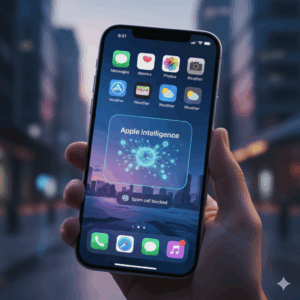
The wait is finally over. Forget the rumors, the developer betas, and the endless speculation about the iPhone’s future. iOS 26 the biggest visual and intelligence overhaul since the dawn of the smartphone era is here, and if you haven’t installed it, your iPhone is officially running a relic. This isn’t just an update; it’s a quantum leap that makes your device feel like an entirely new piece of hardware.
Why the viral buzz? It all comes down to two words: Liquid Glass.
This isn’t a simple aesthetic change. Apple has introduced a gorgeous, translucent design language, transforming your interface with fluid, depth-of-field animations. Icons shimmer, widgets float, and menus refract the light, making the entire experience immersive and three-dimensional. It’s the visual soul of your iPhone finally catching up to its power.
But the real power lies under the hood, courtesy of Apple Intelligence. You’re not just running apps; you’re interacting with a system that anticipates your needs. Features like:
Real-Time Live Translation baked right into Phone calls and Messages.
Hold Assist in the Phone app, which waits on hold for you and notifies you the moment a human answers.
The revolutionary Call Screening, which silences and processes calls from unknown numbers to weed out spam before your phone even rings.
The Pro’s Two-Minute Install Guide
Stop watching videos and start experiencing the future. Here’s the only guide you need to become an iOS 26 early adopter:
1. Prep Work: Plug your iPhone into a charger and connect to Wi-Fi. A major system update is a massive download; don’t risk a dead battery or a broken connection.
2. The Master Key: Go directly to your Settings app.
3. The Path: Tap General, then select Software Update.
4. The Moment: If your device is compatible (iPhone 11 or newer is the sweet spot), you will see the full-screen prompt for the iOS 26 update. Tap Download and Install.
Don’t panic if you see a secondary, smaller update like “iOS 26.0.1” that’s a normal patch for minor bugs. Download it immediately after the main installation.
In a few short minutes, your iPhone will reboot and the Liquid Glass effect will cascade across your screen. Congratulations. You’ve just upgraded your life. The new aesthetic, the intelligent features, and the unparalleled security make this an unmissable update. The future of the iPhone starts now.